Backbone
A backbone is a critical part of the network infrastructure managed by the network team. It serves as the primary connection for devices but remains invisible on the platform for end-users. The backbone is used for tracking and managing network connections effectively. This guide explains how to add, edit, and delete a backbone in the system.
Adding a New Backbone
-
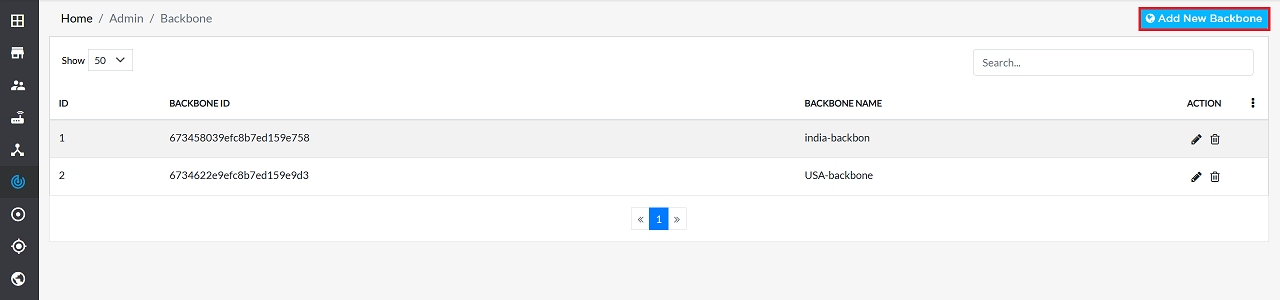
Log in to the system, then go to Backbone > Add New Backbone.
-
Complete the following fields to configure a new backbone:
- Backbone Name: Enter a unique identifier for the backbone (i.e, shanghai-backbone).
- Click the Save button to finalize the configuration.

-
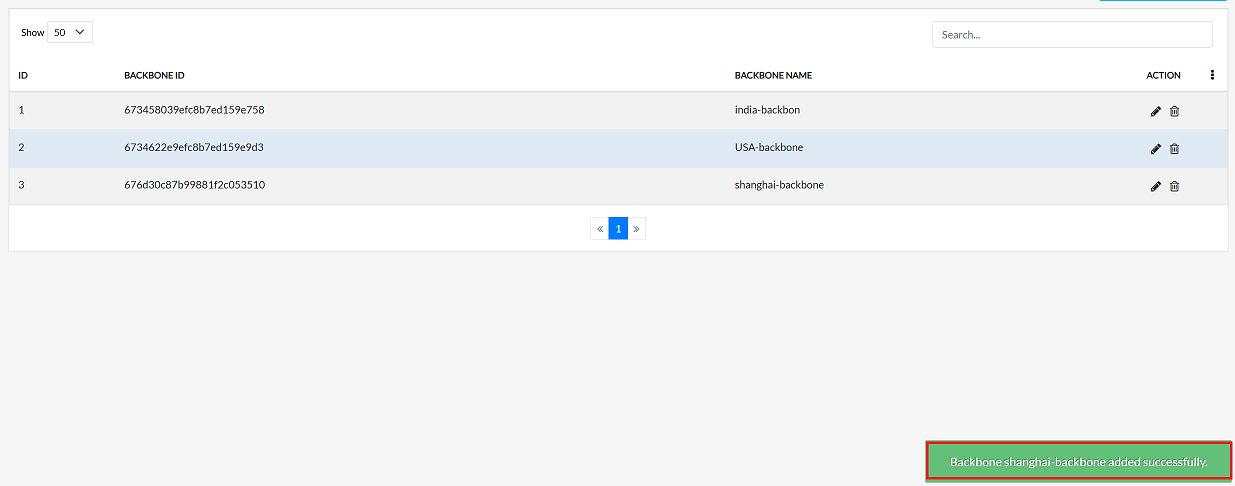
Upon successful saving, a confirmation message will appear indicating that the Backbone shanghai-backbone added successfully.
Editing Backbone
To update the details of any backbone, follow these steps:
-
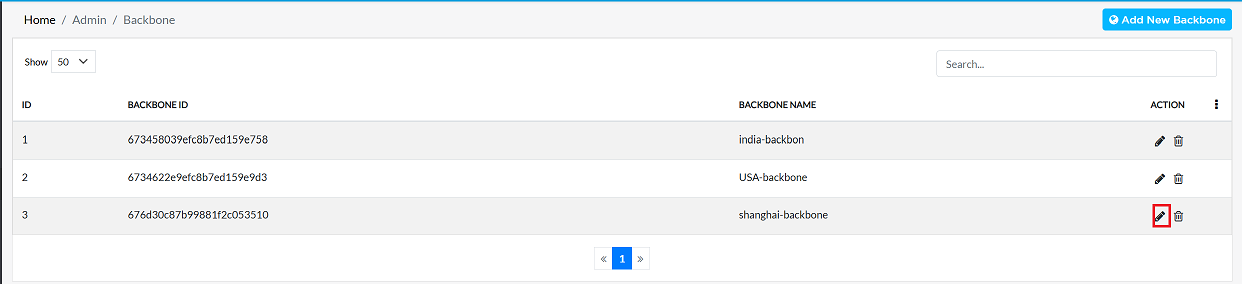
Click on the Edit option in the 'Action' column on the right side of the row of the backbones to be edited.
-
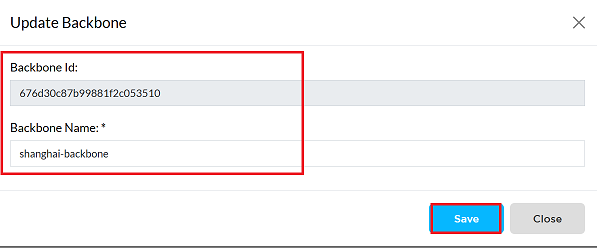
Edit the backbone details as needed. The following details can be updated:
- Backbone Id: Indicates a unique identifier for the backbone. This field is read-only and cannot be edited (i.e,676d30c87b99881f2c053510)
- Backbone Name: Update the backbone name as needed.
- Click the Update button to save the changes.
-
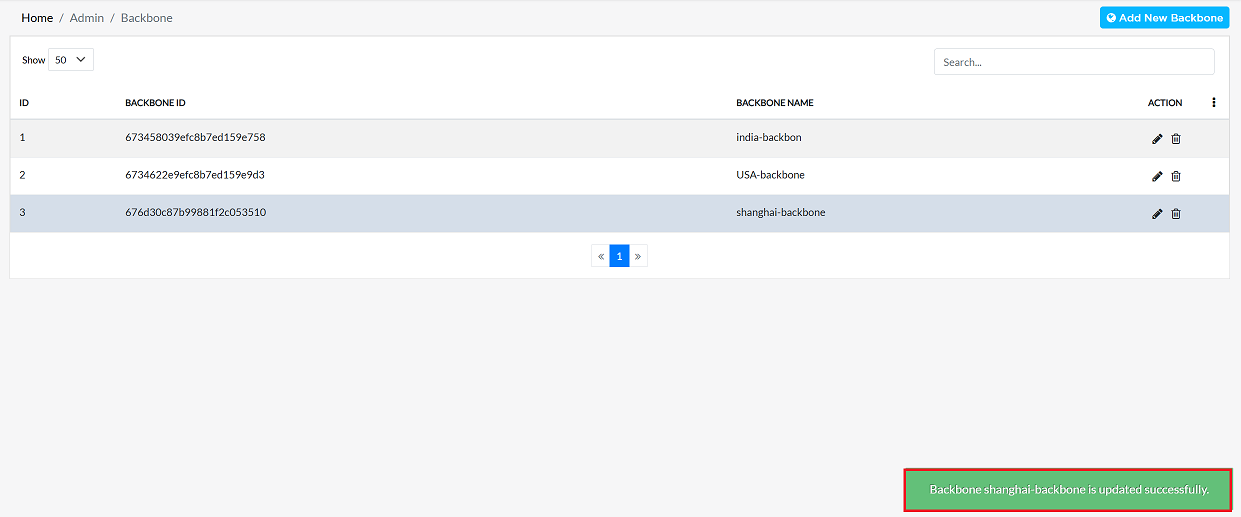
Upon successful update, a confirmation message will appear Backbone shanghai-backbone updated successfully.
Deleting Backbone
To delete any backbone, follow these steps:
-
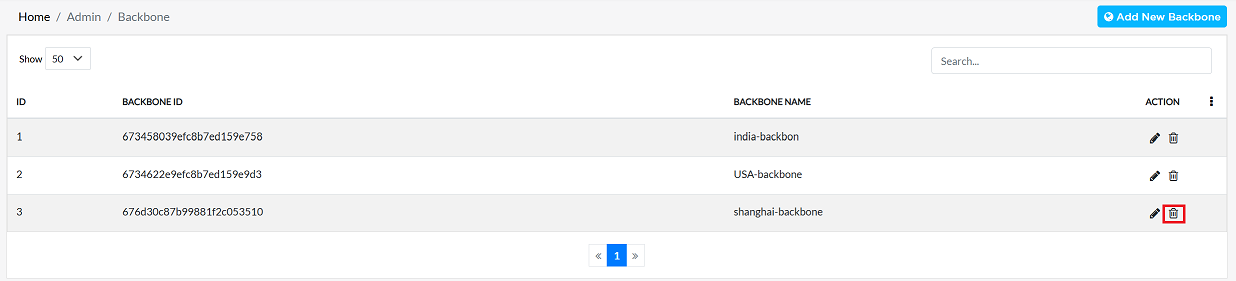
Click on the Delete option in the 'Action' column in the row of the organization to be deleted.
-
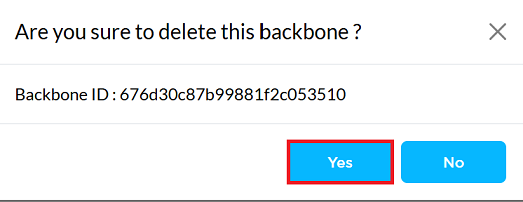
By clicking on the Delete option, a confirmation message popup will open on the screen. This popup asks to confirm the deletion action again, which prevents accidental deletion.
- The backbone has two options available:
- Confirm Delete: If the backbone really wants to delete the information, click on the Yes button in the popup.
- Cancel Delete: If not intended to delete or clicked by mistake, click on the No button to cancel the action and keep the information safe.
- The backbone has two options available:
-
Decision taken in the image As mentioned, the Yes button has been clicked in the image. This means that the deletion action has been confirmed by the backbone and the relevant data will be removed from the system.
-
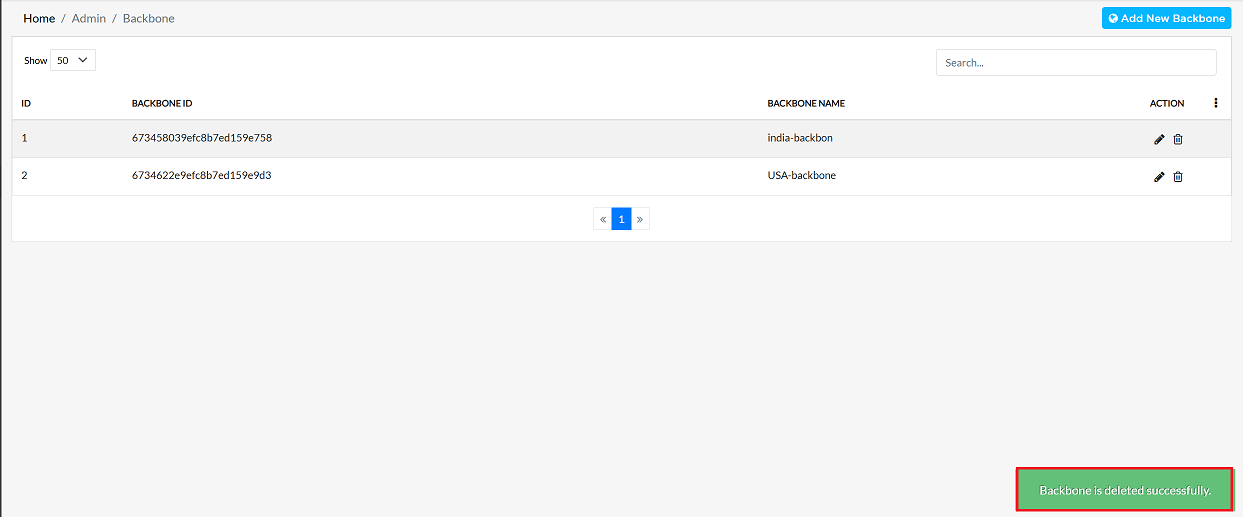
Upon successful deletion, a confirmation message will appear Backbone is deleted successfully.
Important Notes for Users
- Backbones are internal network components and are not visible to end-users on the platform.
- Only authorized users with proper permissions should create, edit, or delete backbones.
- Use clear and meaningful names so network teams can easily identify connections.
- The Backbone ID cannot be changed once created.
- Before deleting a backbone, ensure it is not linked to any active network resources.
- Deleted backbones cannot be restored from the UI.
FAQS
Q:1 What is a backbone in network management?
Ans: A backbone in network management is the core, high-capacity network infrastructure that connects different sites, regions, or networks and carries most of the data traffic. In an SD-WAN or cloud environment, the backbone ensures reliable, high-speed, and resilient connectivity between locations, data centers, and cloud platforms.
Q:2 Can I modify the Backbone associated with a Backbone PE after creation?
Yes, the Backbone associated with a Backbone PE can be modified even after creation. Once the backbone is created and linked to a Backbone PE, you can use the Edit option to make changes. However, within the edit settings, only the name field is editable. The ID is system‑generated by default and cannot be altered.