Events
This document outlines the functionality and details available within the Events section of the CE Devices portal. The Events section provides comprehensive logs of various device activities, including connectivity status, reboots, factory resets, and configuration updates.
Accessing Events
Go to the login > CE Devices > [Select CE] > Events.
The Events section provides the ability to filter events into different tabs:
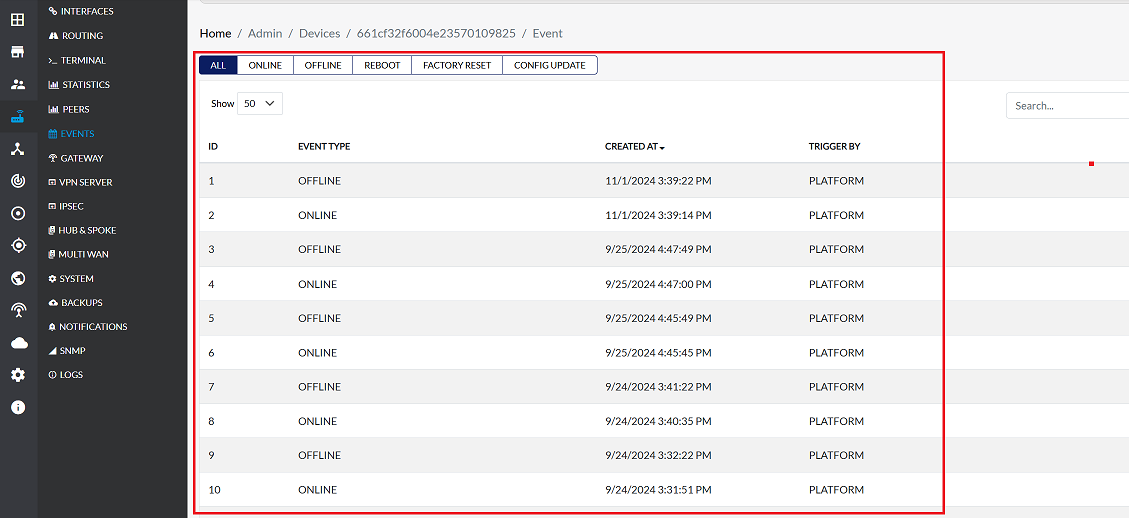
All Events
This tab displays details of all types of events related to the device, including offline, online, reboot, factory reset, and configuration update.
Example Data:
| Id | Event Type | Created At | Trigger By |
|---|---|---|---|
| 1 | OFFLINE | 7/31/2025 5:00:22 PM | PLATFORM |
| 2 | ONLINE | 7/31/2025 4:59:18 PM | PLATFORM |
| 3 | OFFLINE | 7/31/2025 4:01:23 PM | PLATFORM |
Online Events
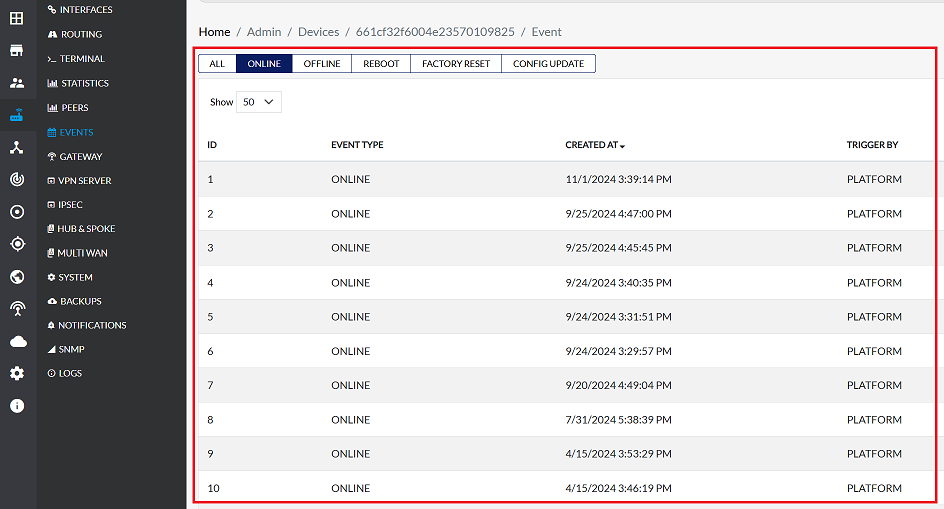
This tab only shows events where the device came online. It provides details about the time the device came online.
Example Data:
| Id | Event Type | Created At | Trigger By |
|---|---|---|---|
| 1 | ONLINE | 7/31/2025 4:59:18 PM | PLATFORM |
| 2 | ONLINE | 7/31/2025 3:00:37 PM | PLATFORM |
| 3 | ONLINE | 7/30/2025 7:47:15 PM | PLATFORM |
Offline Events
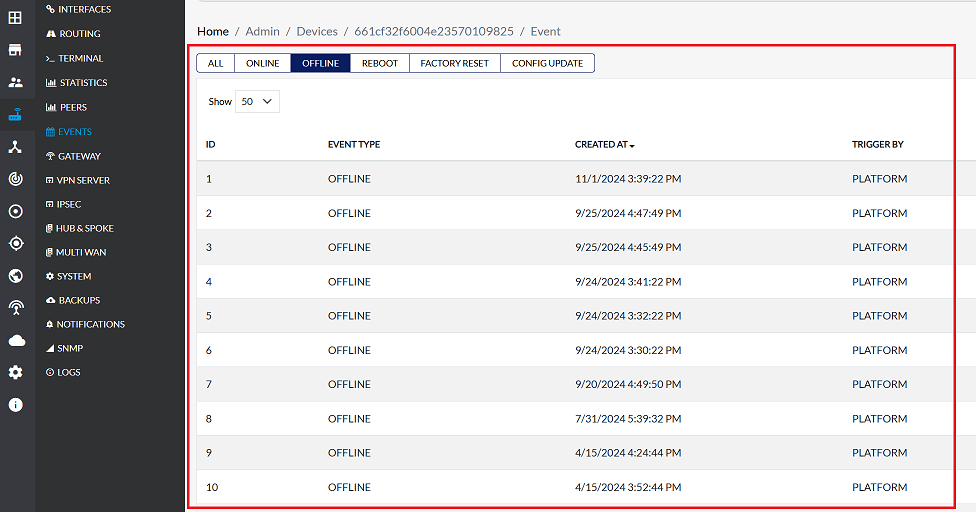
This tab only shows events where the device went offline. It provides details about the time the device went offline.
Example Data:
| Id | Event Type | Created At | Trigger By |
|---|---|---|---|
| 1 | OFFLINE | 7/31/2025 5:00:22 PM | PLATFORM |
| 2 | OFFLINE | 7/31/2025 4:01:23 PM | PLATFORM |
Reboot Events
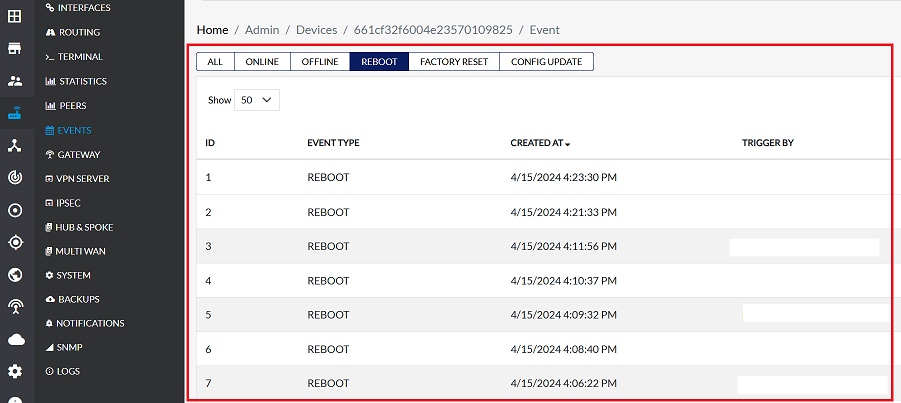
This tab displays details of device reboot events, including information about the time of the reboot and who triggered it.
Example Data:
| Id | Event Type | Created At | Trigger By |
|---|---|---|---|
| 1 | REBOOT | 7/29/2025 7:46:22 PM | xyz@gmail.com |
| 2 | REBOOT | 6/30/2025 3:01:11 PM | demo@gmail.com |
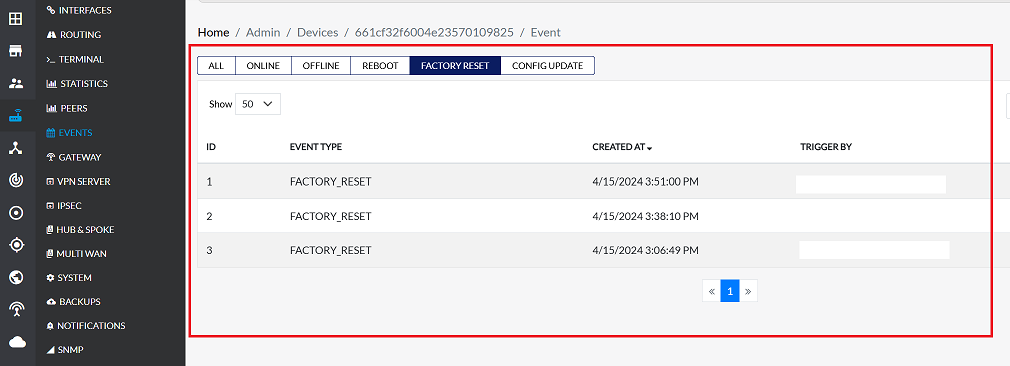
Factory Reset Events
This tab displays details of device factory reset events, including information about the time of the reset and who triggered it.
Example Data:
| Id | Event Type | Created At | Trigger By |
|---|---|---|---|
| 1 | FACTORY RESET | 7/29/2025 8:01:38 PM | xyz@gmail.com |
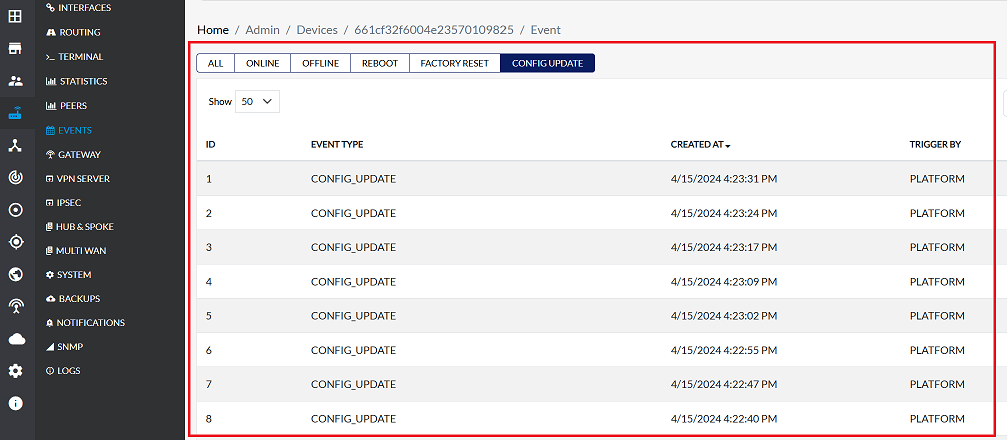
Config Update Events
This tab displays details of device configuration update events, including information about the time of the update and who triggered it.
Example Data:
| Id | Event Type | Created At | Trigger By |
|---|---|---|---|
| 1 | CONFIG UPDATE | 7/29/2025 8:01:38 PM | PLATFORM |
The Events section displays various event types, offering insights into device behavior and administrative actions. All event types share common fields:
| Field | Description | Example |
|---|---|---|
| Event Type | The specific type of event that occurred (e.g., ALL, ONLINE, OFFLINE, REBOOT, FACTORY RESET, CONFIG UPDATE) | All |
| Created At | The date and time when the event was recorded. | 7/31/2025 5:00:22 PM |
| Trigger By | Indicates what or who initiated the event. This can be "PLATFORM" for automated system events, or an email address if a user triggered the action. | PLATFORM / xyz@gmail.com |
Important Notes for Users
- Trigger By: PLATFORM indicates automated system actions, not manual user actions.
- Online and Offline events are logged separately to track device connectivity accurately.
- Reboot, Factory Reset, and Config Update events may be triggered by admin users or automated processes; check “Trigger By” to identify the source.
- Events are chronologically ordered, newest first.
- Deleted or hidden events cannot be recovered.
- Use the filter tabs to quickly find relevant events instead of scrolling through all logs.
- Always cross-check event time with your device activity to troubleshoot issues effectively.
FAQs
Q1: What does "Trigger By: PLATFORM" mean?
Trigger By: PLATFORM" indicates that the event was automatically generated by the system, not by a user. This typically happens for events such as: Device coming online, Device going offline, Automatic configuration updates pushed from the cloud, Reboot Device, Reset Device. In short, it means the platform itself detected the event and logged it without any manual action from an administrator.