Mix(Load Balance + Failover) TBD
This guide will walk you through setting up your platform to balance internet traffic across multiple networks (MultiWAN) using Mix(Load Balance + Failover) modes. This setup ensures consistent internet access by using multiple connections—when one connection fails, the other can keep traffic running smoothly.
Configuring Ethernet Interface for MultiWAN
Log in to the Platform
-
Access the following URLs (https://dev.hi-clouds.com/login) and (https://beta1.hi-clouds.com/login)
-
After logging in, navigate to CE Device and select Device.
-
Open the Interface menu and click on the Edit button for any Ethernet interface.
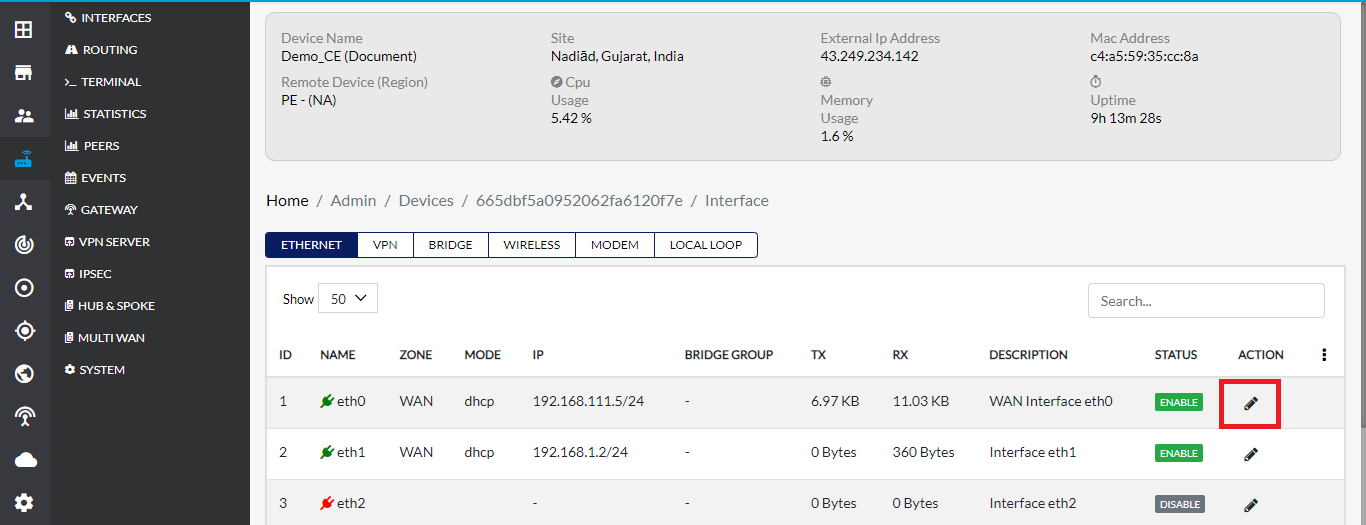
Update Ethernet Interface Settings
-
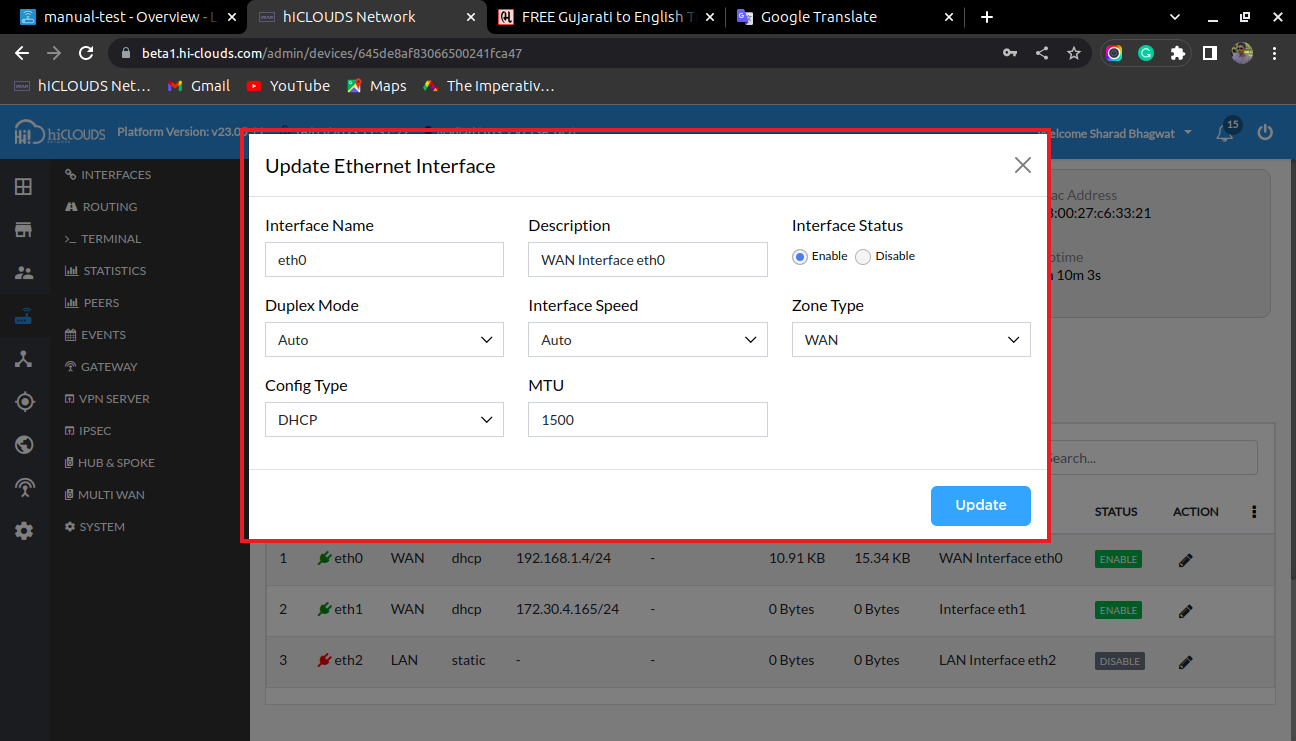
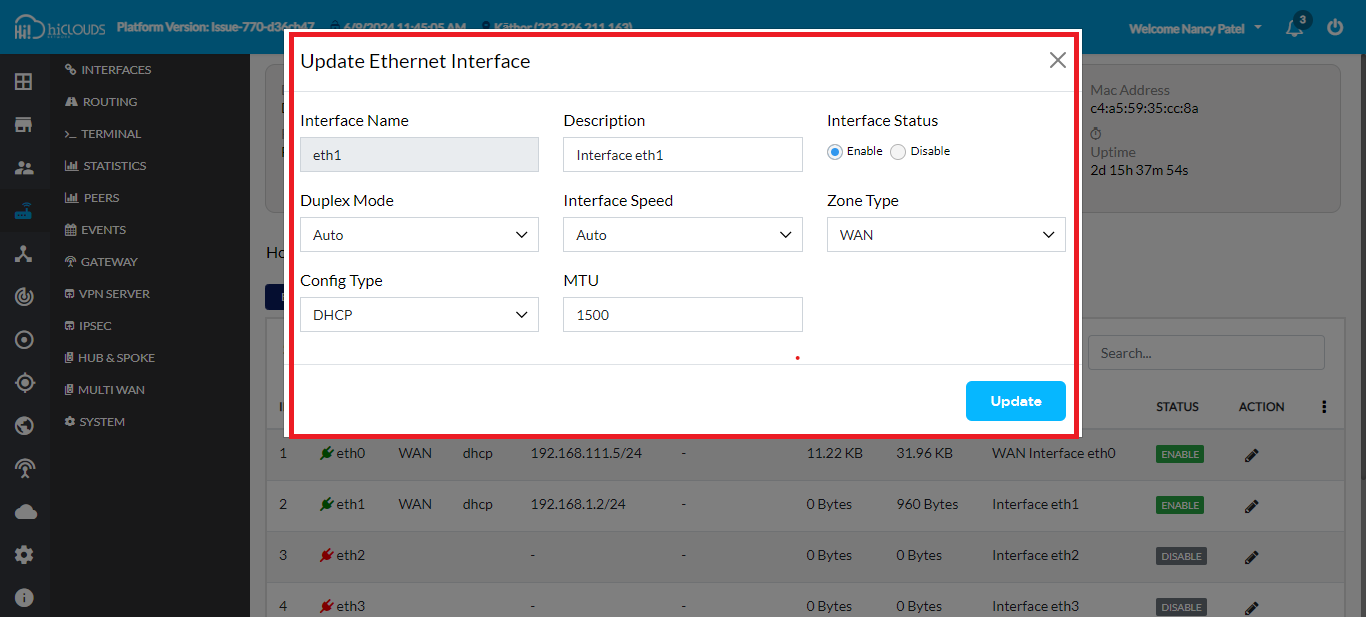
On the Update Ethernet Interface page, the default Zone Type will be set to WAN.
-
If the Zone Type is not WAN for any other Ethernet interface, select WAN manually.
-
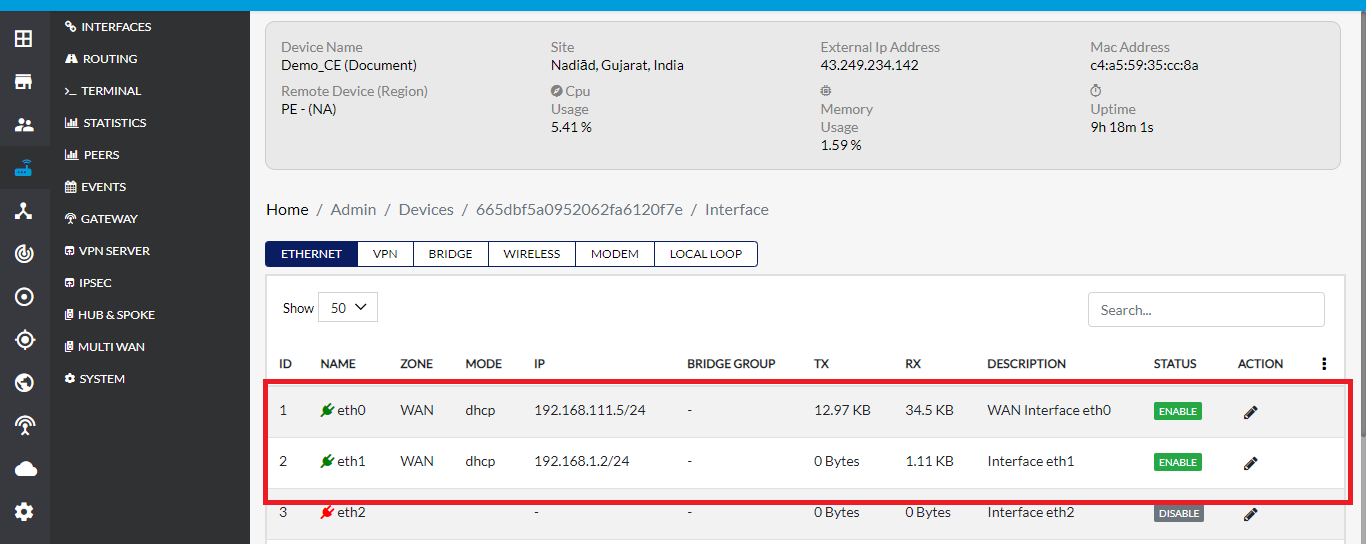
Click the Update button to save the changes. Ensure that WAN is displayed for both interfaces.
Configure Mix(Load Balance + Failover) Settings
Configure Failover Settings
-
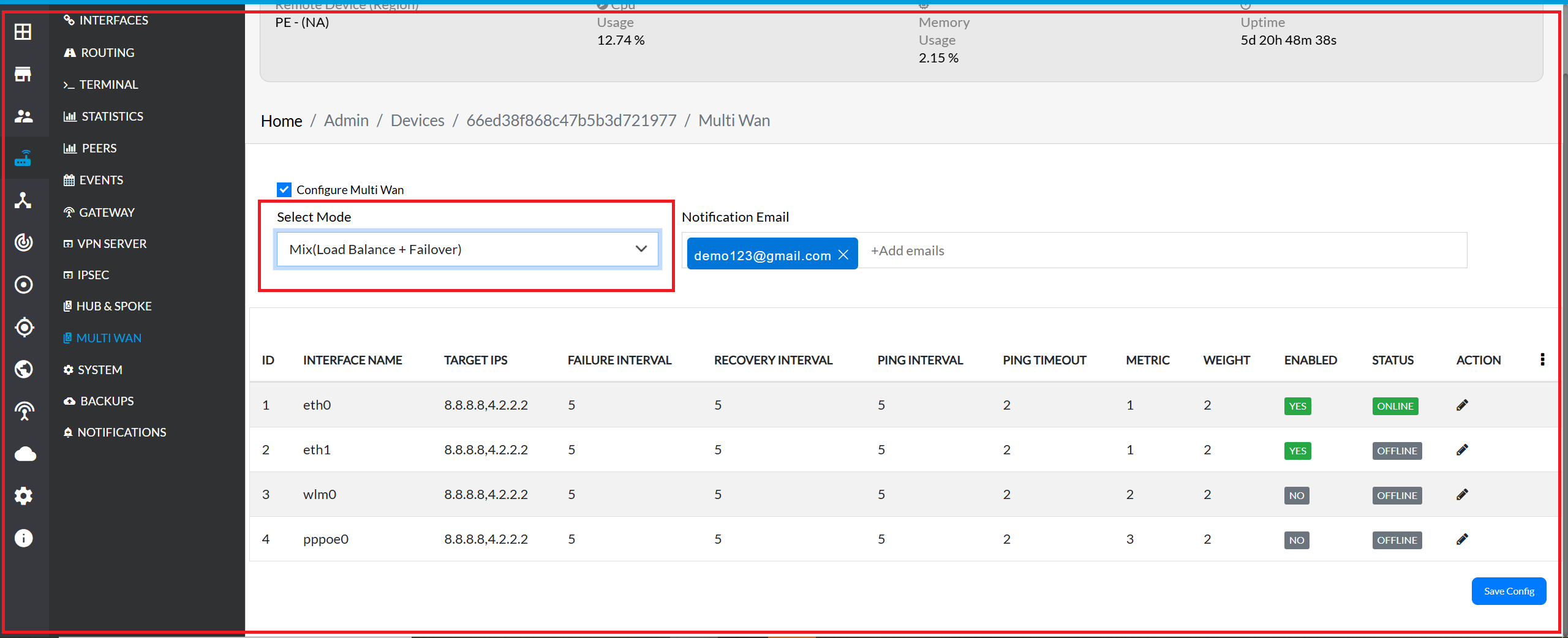
Select Mode: Choose Mix(Load Balance + Failover) from the drop-down list.
-
Notification Email: Enter a valid email (e.g., demo123@gmail.com) to receive notifications.
-
Ensure the Enabled status shows Yes for interfaces eth0 and eth1.
-
Click Save Config to apply changes.
Configure Load Balancing in Luci
-
After configuring Mix(Load Balance + Failover) in the cloud, go to Luci and navigate to MultiWAN Manager.
-
In the Members tab, ensure the weights are set to 2 for both interfaces:
- Member Names: eth0_m1_w2, eth1_m1_w2
Verify Load Balancing Policies
-
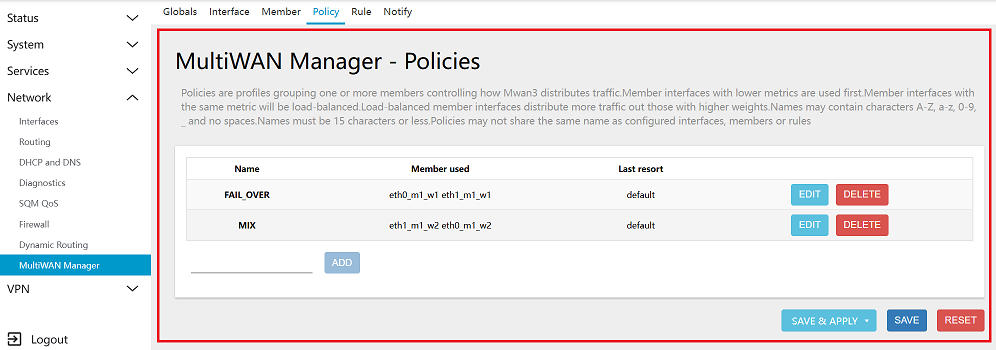
Upon navigating to the Policies tab, locate the Multi-WAN Manager section within the Luci interface. Within this section, you will find the Mix(Load Balance + Failover) entry under the policy configuration menu.
Setup Load Balancing Rules
-
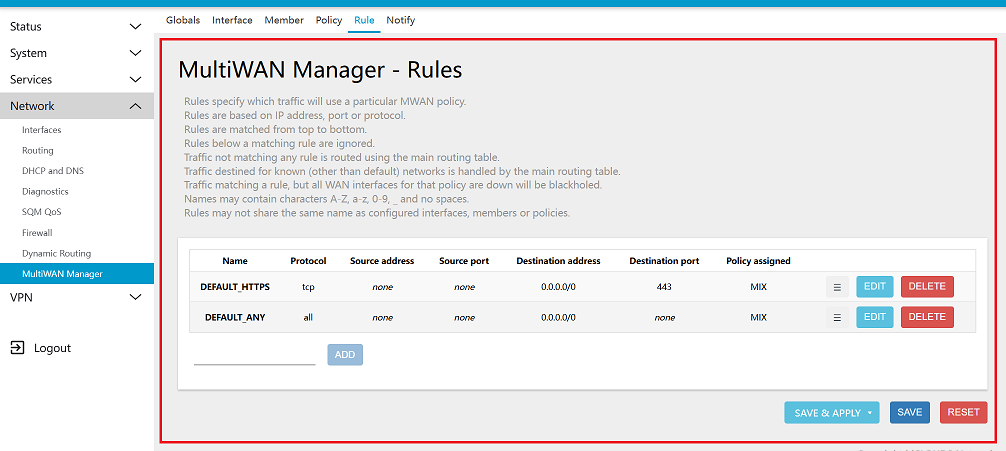
In the Rules section, you can access the defined rules, which encompass attributes such as name, protocol, source address, source port, destination address, destination port, and the associated policy. These attributes collectively determine how network traffic is handled based on the specified rule set.
-
For traffic distribution, Mix(Load Balance + Failover) are configured within the Rules menu of the Lucy Multi-WAN Manager. These rules direct traffic according to the defined parameters, ensuring that traffic is managed in a specific, predefined manner.
Important Notes for Users
- Ensure that both Ethernet interfaces are configured as WAN before enabling Mix (Load Balance + Failover). If even one interface is incorrectly configured, MultiWAN may not function as expected.
- After saving the configuration from the platform, allow a short delay for the settings to sync with the CE device before checking in Luci.
- Notification emails will only be received if a valid and active email address is configured under Notification Email.
- The weights assigned in Luci determine traffic distribution. If equal weights are set (e.g., 2 and 2), traffic will be shared evenly across both WAN connections.
- Failover ensures that traffic automatically moves to the secondary link if the primary network fails — however, this depends on proper connectivity and health-check configuration.
- Any manual changes made directly in Luci may be overwritten when syncing from the cloud platform. It’s recommended to configure MultiWAN policies from the platform wherever possible.
- If you disable any WAN interface or change its zone type, load balancing and failover behavior may be affected. Review settings after any modification.
- Make sure both WAN links are stable and active for best performance and reliability.