Loadbalancing
This document provides a step-by-step guide to configuring load balancing on MultiWAN-enabled device interfaces, focusing specifically on Ethernet interface settings, load balancing options, and rule setup. This ensures optimized network performance and traffic management across multiple WAN connections.
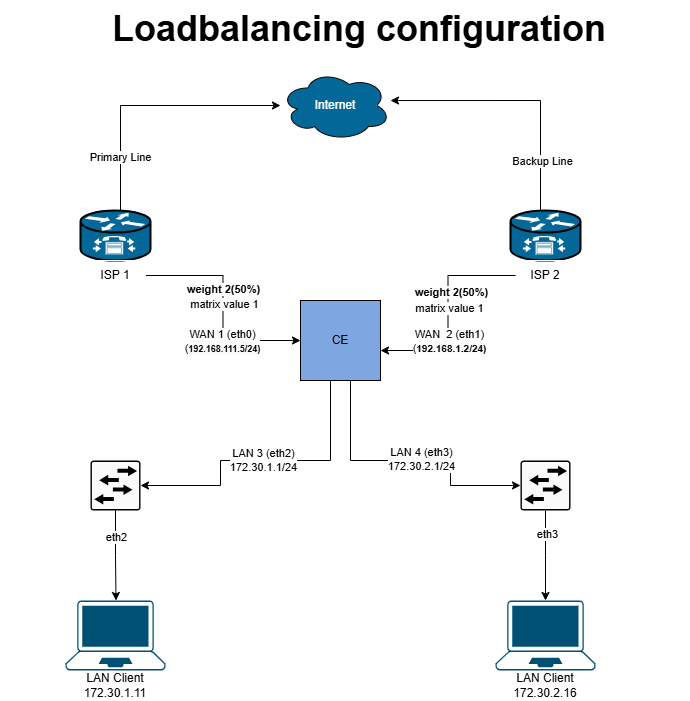
Load Balancing Configuration
Configuring Ethernet Interface for MultiWAN
Log in to the Platform
-
Access the following URLs (https://dev.hi-clouds.com/login) and (https://beta1.hi-clouds.com/login)
-
After logging in, navigate to CE Device and select Device.
-
Open the Interface menu and click on the Edit button for any Ethernet interface.
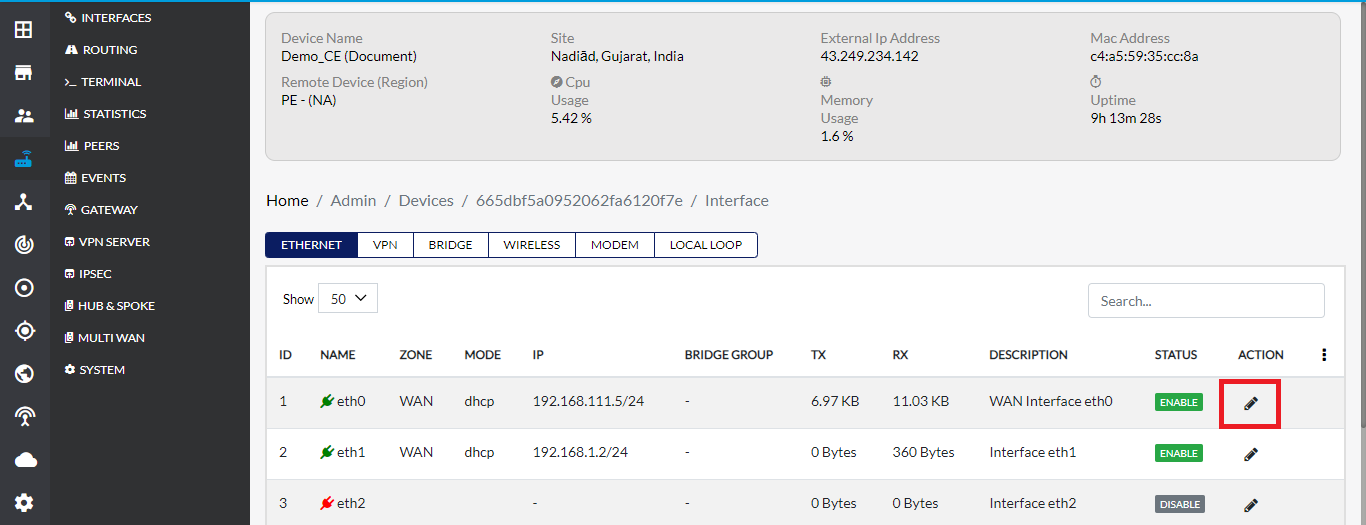
Update Ethernet Interface Settings
-
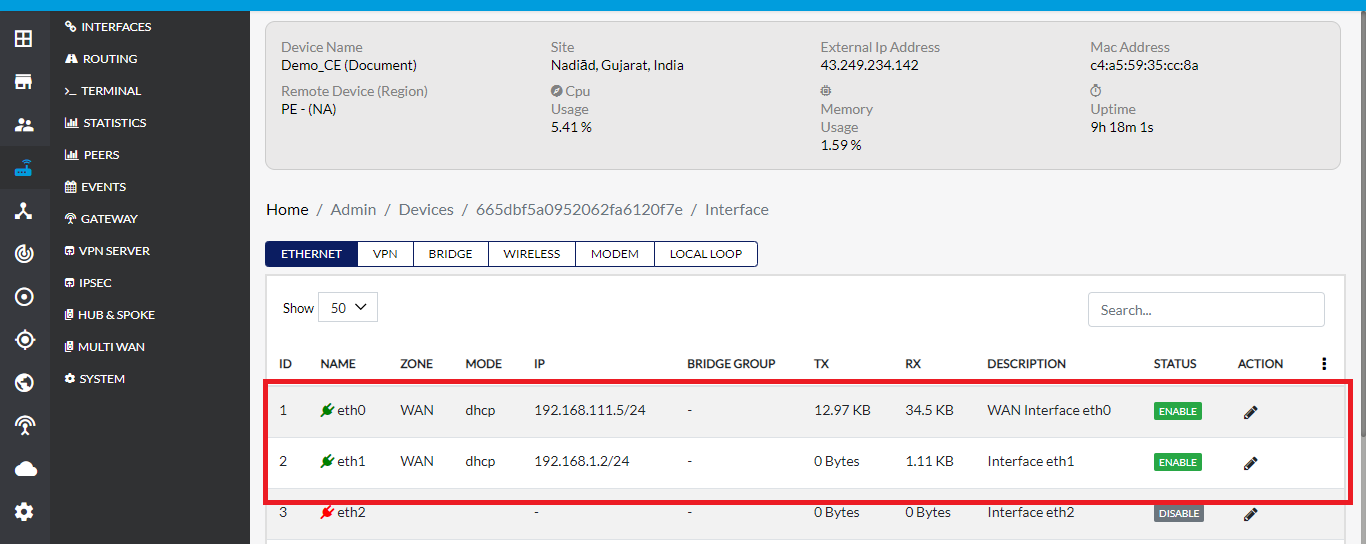
On the Update Ethernet Interface page, the default Zone Type will be set to WAN.
-
If the Zone Type is not WAN for any other Ethernet interface, select WAN manually.
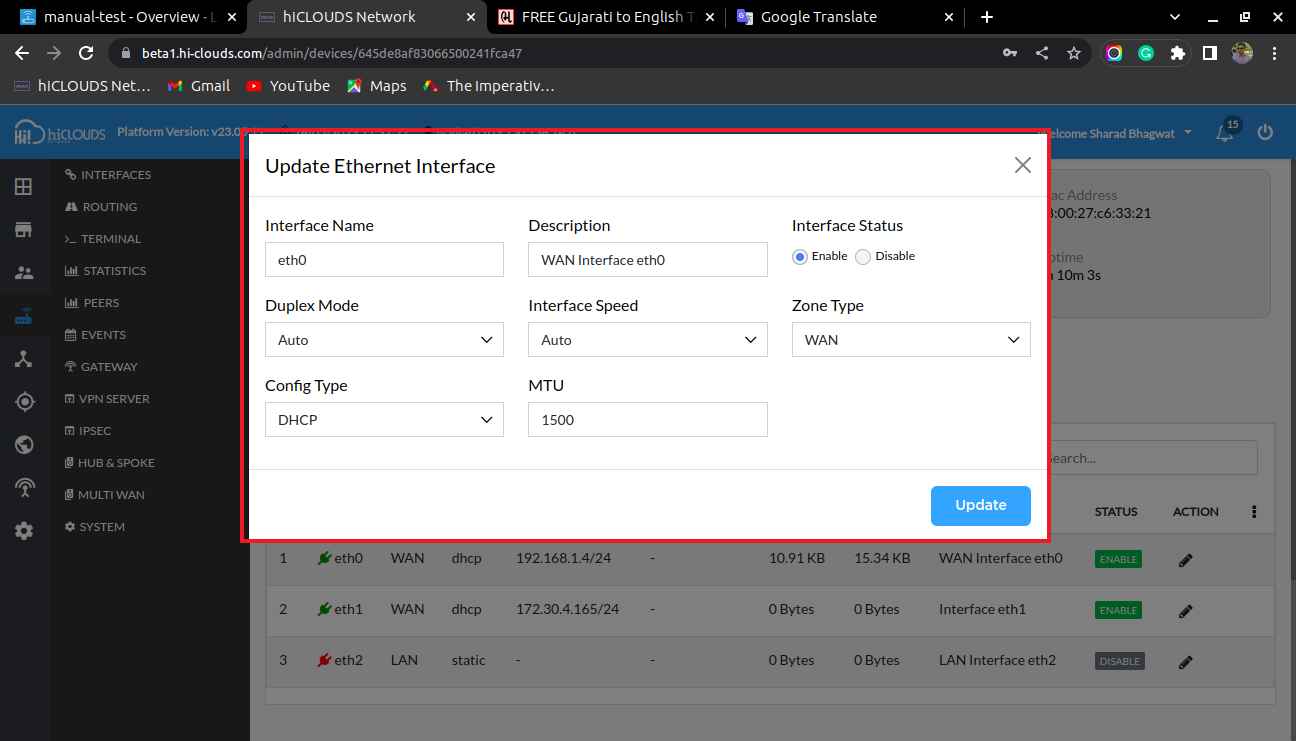
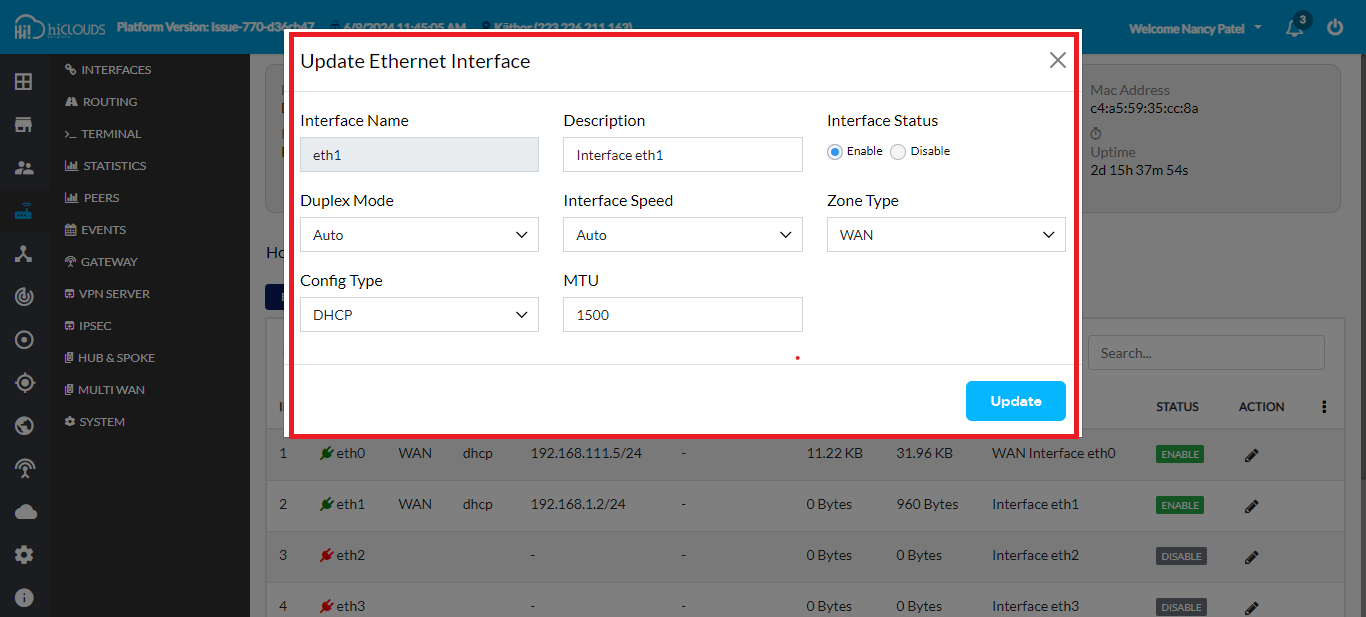
-
Click the Update button to save the changes. Ensure that WAN is displayed for both interfaces.
Enable Load Balancing
-
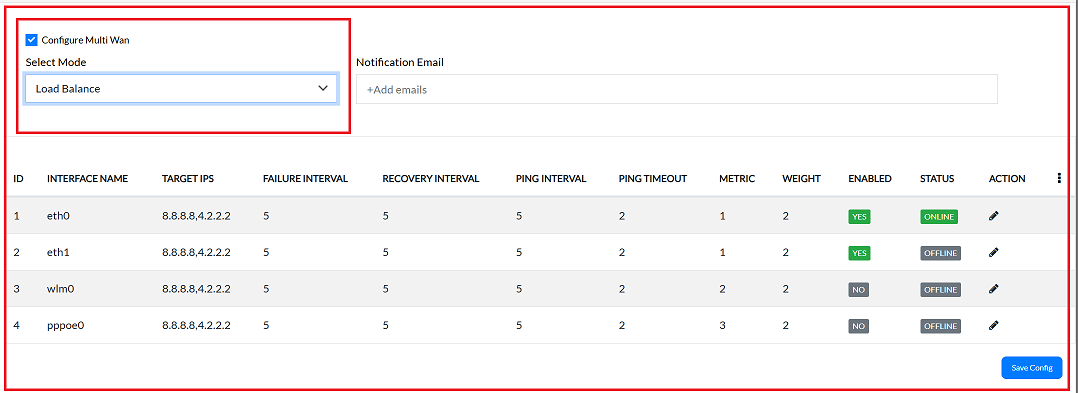
In the MultiWAN menu, enable the Configure MultiWAN checkbox.
-
Select Failover mode and enter your email for notifications.
-
Ensure the status is enabled for interfaces eth0 and eth1.
weightIn this setup, both wan1 (eth0) and wan2 (eth1) are assigned a weight of 2. The total weight (4) is calculated by summing the weights of both WAN interfaces and then dividing by 100 to obtain the percentage allocation. Since both interfaces have equal weights, each receives an equal load-balancing percentage of 50% (i.e., a 50-50 split between wan1 and wan2). This calculation is visually represented in the diagram as the weight percentage distribution for each interface.
Configure Load Balancing in Luci
-
After configuring load balancing in the cloud, go to Luci and navigate to MultiWAN Manager.
-
In the Members tab, ensure the weights are set to 2 for both interfaces:
- Member Names: eth0_m1_w2, eth1_m1_w2
Verify Load Balancing Policies
-
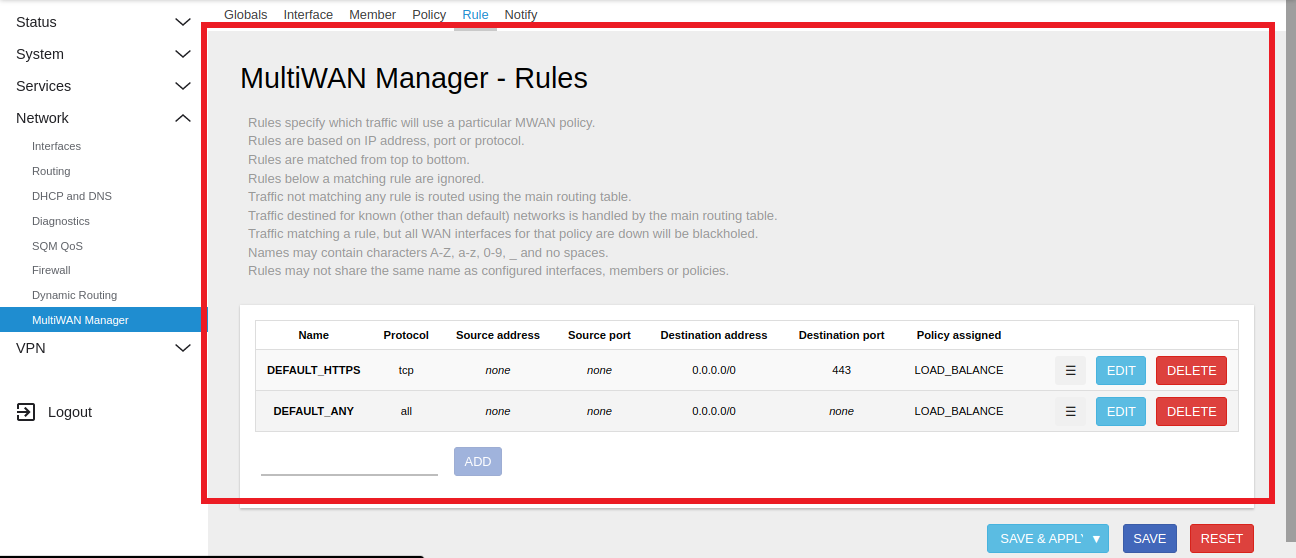
Upon navigating to the Policies tab, locate the Multi-WAN Manager section within the Luci interface. Within this section, you will find the Load Balancing entry under the policy configuration menu.
Setup Load Balancing Rules
-
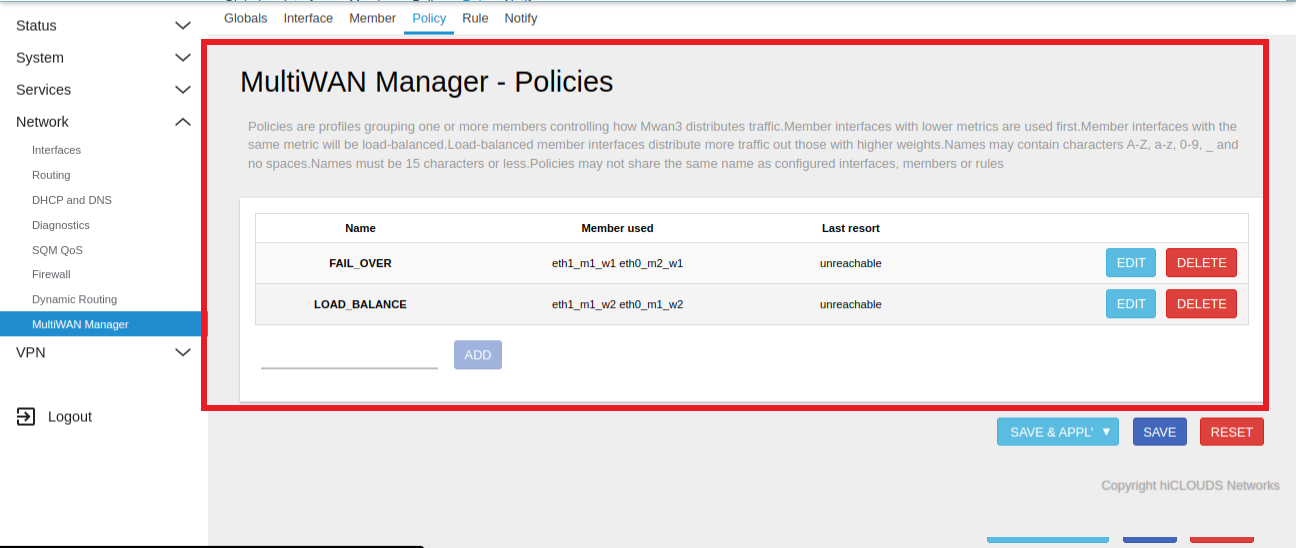
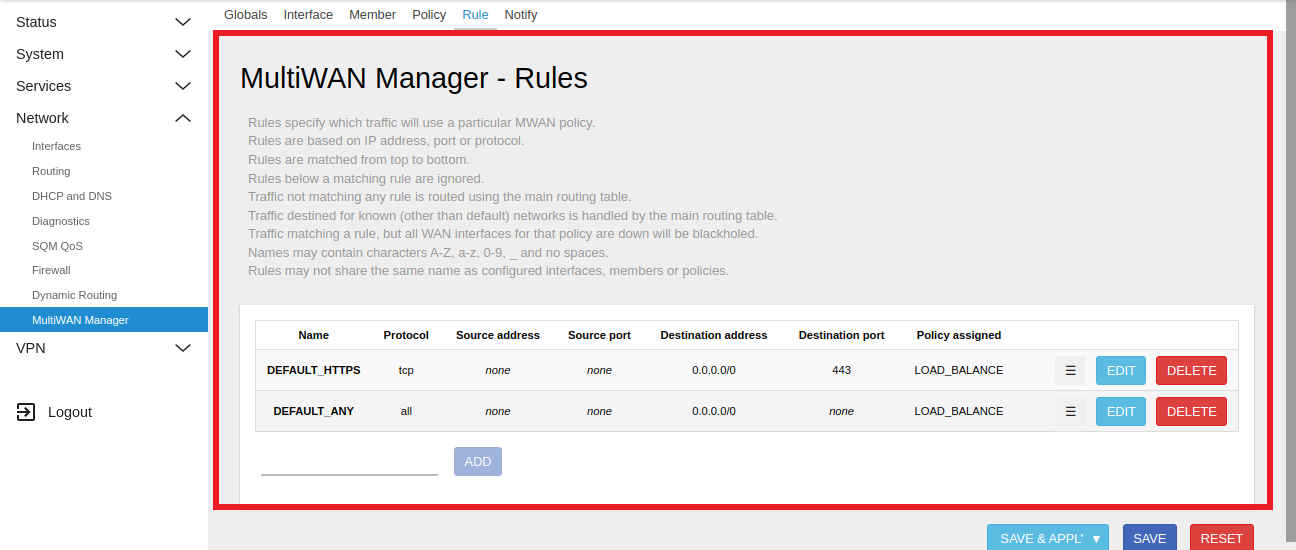
In the Rules section, you can access the defined rules, which encompass attributes such as name, protocol, source address, source port, destination address, destination port, and the associated policy. These attributes collectively determine how network traffic is handled based on the specified rule set.
-
For traffic distribution, load balancing rules are configured within the Rules menu of the Lucy Multi-WAN Manager. These rules direct traffic according to the defined parameters, ensuring that traffic is managed in a specific, predefined manner.
Important Notes for Users
- Load balancing works only when both WAN links are active and reachable.
- If one WAN link goes offline, traffic will automatically shift based on configured failover rules.
- Assigning equal weights (e.g., 2 and 2) distributes traffic equally (50–50%).
- Higher weight = more traffic routed to that WAN.
- Ensure Zone Type = WAN for all participating interfaces.
- Any configuration changes require clicking Update / Save to apply.
- Ensure device time and connectivity are correct for accurate monitoring.
- Avoid frequent weight changes unless necessary.
- Test connectivity after configuration to confirm traffic flow.
- Only authorized users should modify MultiWAN settings.
FAQ
Q:1 What is the importance of metrics and weights in load-balancing?
Metrics and weights are critical in determining how traffic is distributed across multiple WAN interfaces in a load-balancing setup: Metrics (Priority Control) Metrics define the priority order of WAN interfaces. A lower metric value means higher priority. In load balancing, metrics ensure that traffic is routed according to the preferred interface order when multiple WANs are available. Example: eth0 with metric 1 will be preferred over eth1 with metric 2 if both are active. Weights (Traffic Distribution Control) Weights determine the percentage of traffic allocated to each WAN interface. The system calculates the total weight across all WANs and divides traffic proportionally. Example: If eth0 and eth1 both have weight 2, the total weight is 4. Each interface receives 50% of the traffic. If eth0 has weight 3 and eth1 has weight 1, then traffic is split 75% to eth0 and 25% to eth1. Together, metrics and weights ensure both: Correct failover order (via metrics). Balanced traffic distribution (via weights). This combination optimizes performance, prevents overload on a single WAN, and ensures redundancy in case of link failure.