Reboot & Reset Device System
The Reboot & Reset Device System enables you to reset your CE device to its factory default or reboot it without losing the current configuration. This assists in debugging problems and ensuring the device remains in its intended state of operation.
Reboot & Reset Device
-
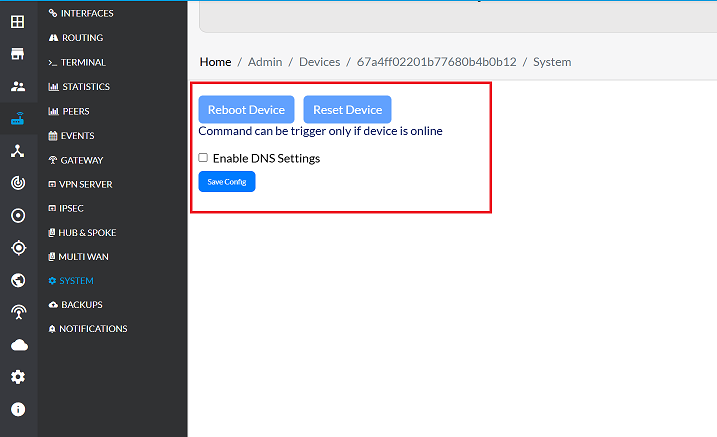
Go to Login > CE Device > [Select CE] > System.
-
To reset the device, click the Reset Device button.
-
To reboot the device, click the Reboot Device button.
-
If the device has already been reset, the interface will display the status as shown in the accompanying image.
Reset-and-Reboot-ProcessOnce the default backup is set, the device may be reset or rebooted with the original settings being applied and the changes reverted back. This is to ensure the device returns to its previous state, maintaining integrity in the default configuration. Such a process ensures that changes applied are effective or troubleshoot an issue without losing the current configuration.
-
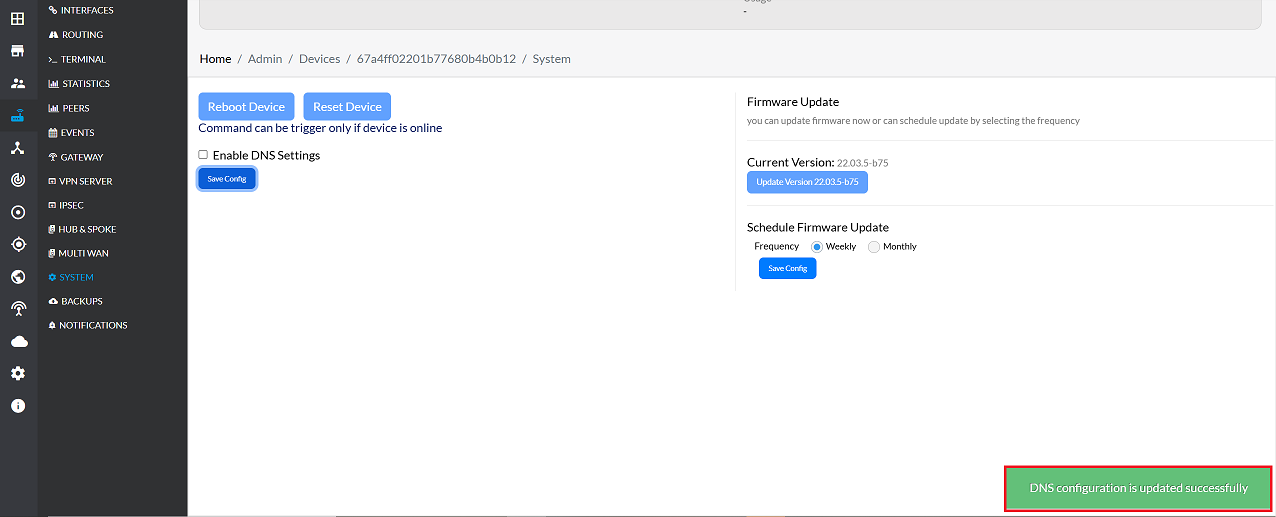
If you have not rebooted and reset the device yet, and if you do, it will reboot and reset once. Then click on the Save Config button.
-
After saving, a message will appear on the screen stating DNS configuration is updated successfully.
Important Notes for Users
- Rebooting the device does not delete your configuration
- Resetting the device may restore settings from the default backup profile
- Perform reset operations only when required for troubleshooting
- Ensure the device remains powered on during reboot/reset
- If unsure, contact your system administrator before performing a reset
- Save configuration after reset to retain applied settings
- Network connectivity may temporarily drop during reboot/reset
- Avoid multiple resets in short intervals
FAQs
Q1: What is the difference between reboot and reset?
Reboot:- Restarts the CE device without erasing or changing the current configuration.vUseful for applying updates, clearing temporary issues, or refreshing system processes.vThe device comes back online with the same settings as before. Reset:- Restores the CE device to its factory default configuration. All custom settings, policies, and changes are reverted back to the original defaults. Useful for troubleshooting persistent issues or returning the device to a clean state. In short, reboot = restart with current settings, while reset = restore to factory defaults.
Q2: Will rebooting or resetting lose my current configuration?
Rebooting – No, rebooting does not lose your current configuration. The device restarts and retains all applied settings. Resetting – Yes, resetting will erase your current configuration and revert the device back to its default factory settings. However, if a default backup has been set, the reset process will restore the device to that backup state, ensuring integrity of the default configuration while discarding recent changes.