CE Firmware Config
This guide provides a comprehensive overview of configuring CE firmware settings through the CE Firmware Config interface. It includes detailed instructions for updating firmware, managing download URLs, and ensuring the integrity of firmware updates.
Accessing CE Firmware
-
Go to the Login > Settings > CE Firmware Config.
-
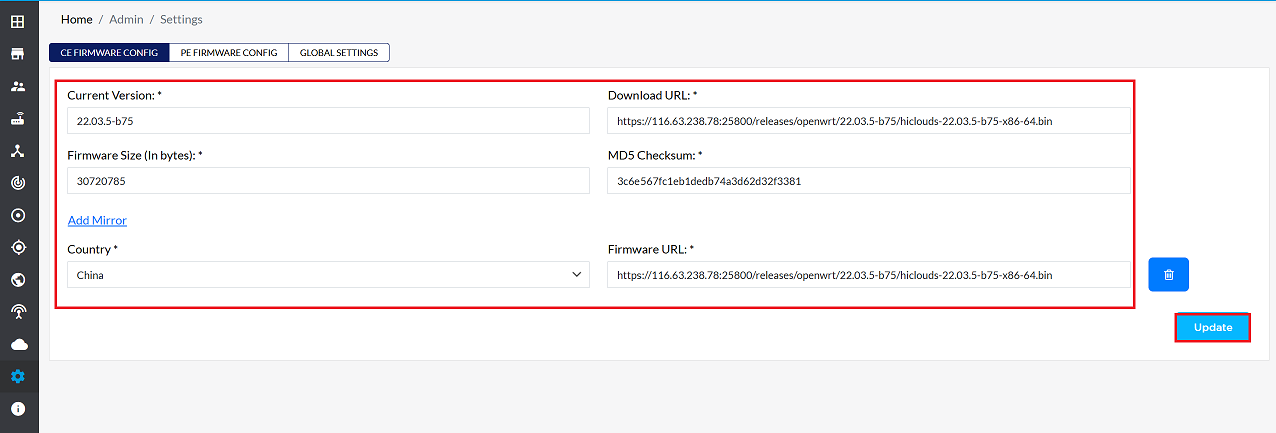
The existing configuration details will be displayed, including
- Current Version: Displays the currently installed firmware version. Users can update this to a newer version.
- Firmware Size (In bytes): Allows modification of the firmware size, if necessary.
- Country: Enables the selection of a country. Note that selecting a specific country will apply firmware changes tailored to devices within that region.
- Download URL: Specifies the URL for downloading the firmware. This can be updated as needed.
- MD5 Checksum: Provides a field to update the MD5 checksum for verifying firmware integrity. The MD5 (Message-Digest Algorithm 5) generates a unique fixed-size hash value from input data, commonly used for file integrity verification. However, MD5 is now considered outdated and less secure for such purposes.
- Firmware URL: Allows modification of the firmware URL for device updates.
-
Once all fields are updated, click the Update button to apply the changes.
-
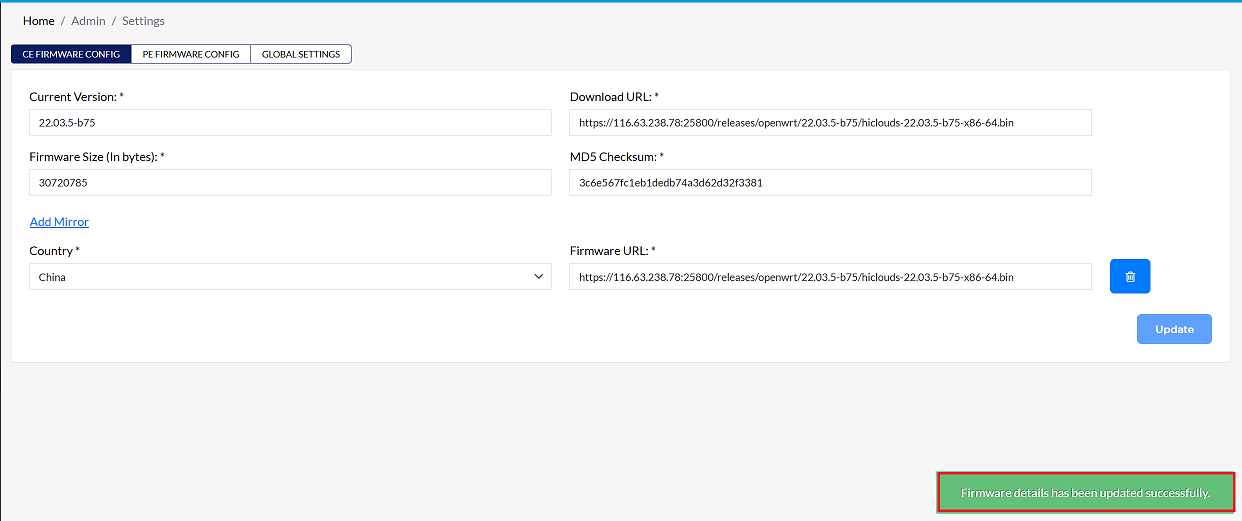
After a successful update, a confirmation message will be displayed Firmware details has been updated successfully.
Adding a Country or Firmware URL
-
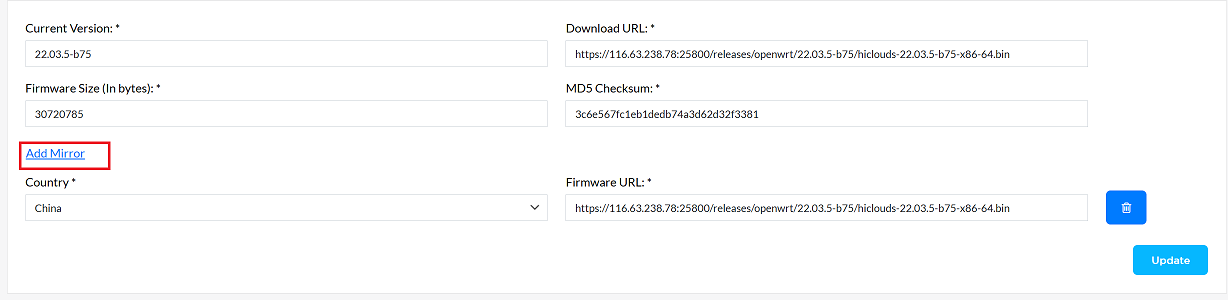
Click on the Add Mirror button. A new field will appear where the desired country and firmware details can be entered. Once the required information is added, click the Update button to save the changes.
Deleting a Firmware URL
To delete an existing firmware or URL
-
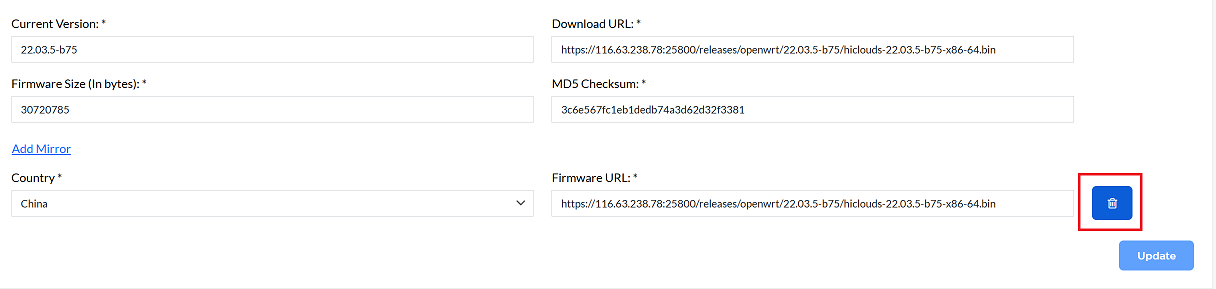
Locate the entry to be deleted.
-
Click the Delete button on the right side of the entry, as shown in the following image.
Important Notes for Users
- Ensure the Firmware URL is correct and accessible; devices will fail to update if the URL is unreachable.
- Verify the MD5 Checksum only if necessary; consider using more secure hash methods if possible.
- When adding firmware for a specific country, make sure the firmware is compatible with devices in that region.
- Use the Add Mirror feature carefully; duplicate entries can cause confusion or failed updates.
- Always review the configuration before clicking Update to avoid misconfiguration.
- Deleted firmware URLs cannot be recovered, so confirm before deletion.
FAQs
Q:1 What happens if the firmware URL is incorrect or unreachable?
Ans: If the firmware URL is incorrect, devices will fail to fetch updates. Ensure that all URLs are tested and accessible before applying changes.