Advance
This guide explains how to configure upload and download limits for the Ethernet interface on a CE device.
Traffic Policy
-
Navigate to the Login > CE Devices > [Select CE] > Intefaces > [Pick Ethernet Interface] > Edit > Advance.
-
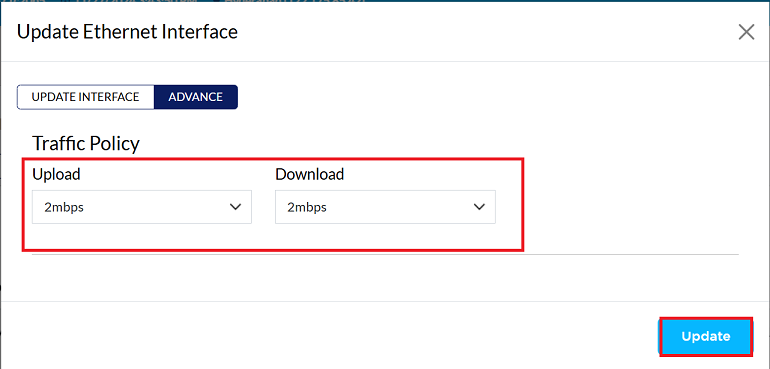
You are in the Advance tab of ethernet interface, find the Traffic Policy section.
-
Set desired Traffic Policy settings to limit upload and download. (i.e. 2Mbps)
-
Click the Update button to save new configuration.
-
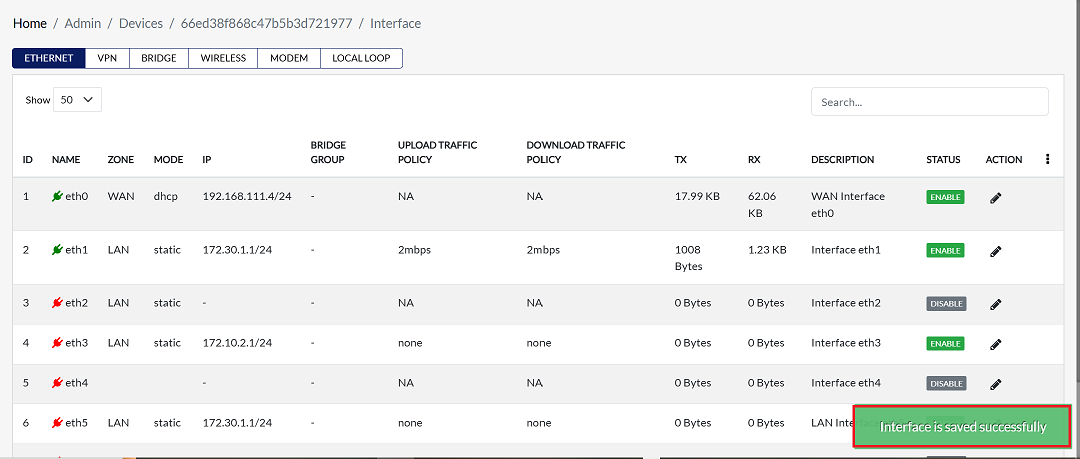
A confirmation message Interface is saved successfully will appear on the screen after successful configuration.