CE link Three Different PE
This document details the step-by-step process for configuring a CE device to connect to multiple PE devices. The main steps include ensuring that the PE is assigned to a common region, navigating to the "Link PE" configuration, selecting the appropriate region and all three PE device IP addresses, and then assigning them to the CE. Upon successful completion, the system will confirm successful linking.
Prerequisites
- Before linking the CE to the PEs, ensure the following:
-
Creating a region: A region must be created. Refer to the Create a region documentation for detailed instructions.
-
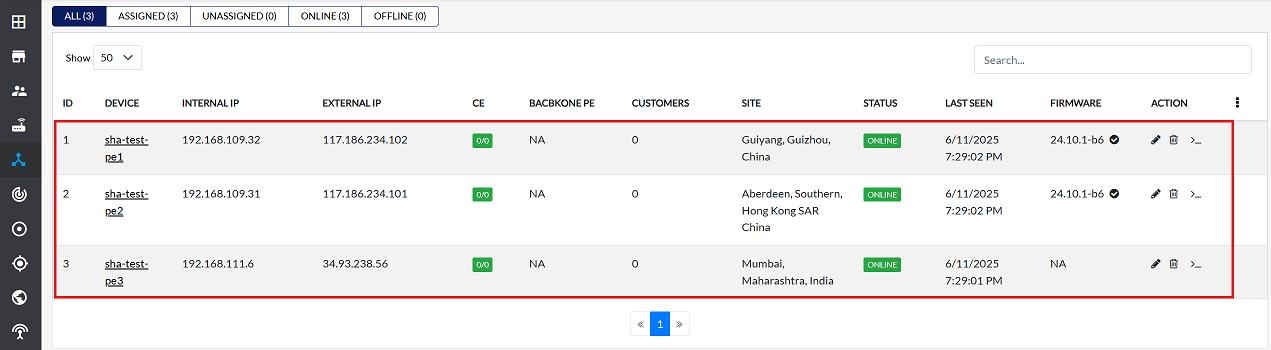
PE assignment to a region: Three PE devices must be assigned to the same region.
- Important: All three PE devices must reside within the same designated region, as illustrated in the example image below. Refer to the Assign PE documentation for guidance on assigning PEs to a region.As shown in the example image below, all three PE devices must be in the same designated region. For guidance on assigning PE devices to a region, refer to the Assign PE documentation.
-
Procedure for Linking CE to PEs
Follow these steps to link the CE device to the three PE devices:
-
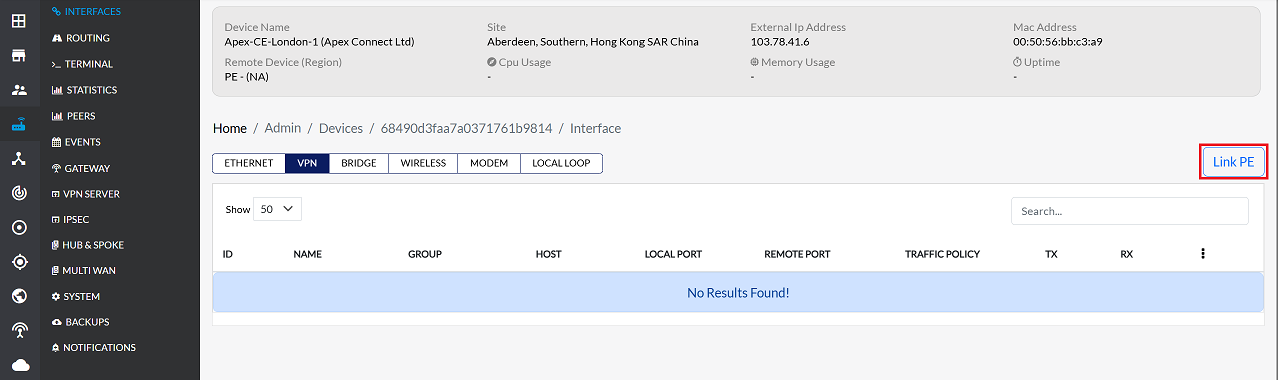
Navigate to the Interfaces > VPN > Link PE
-
On the Link PE configuration screen, fill in the following details:
-
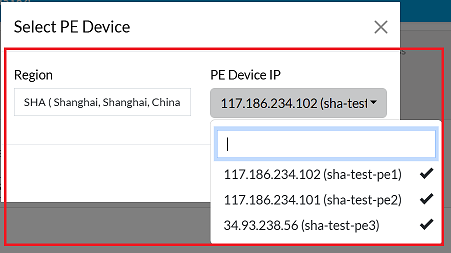
Region: From the dropdown menu, select the region assigned to the PE devices.
-
PE Device IP: The dropdown list will display the IP addresses of PE devices associated with the selected region. Select all three PE device IP addresses by clicking on each one individually.
-
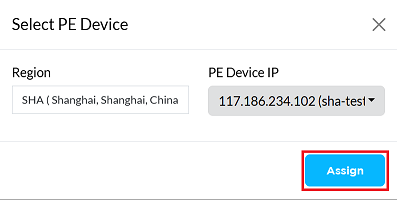
Click the Assign button to complete the linking process.
-
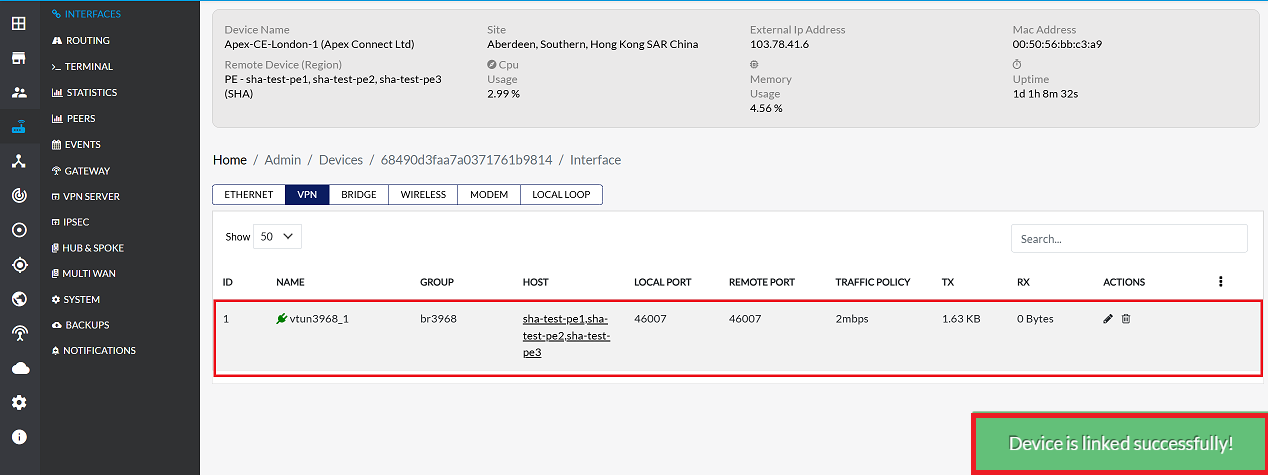
On successful linking, a confirmation message will appear on the screen stating Device successfully linked. The VPN interface will also appear in the grid, indicating its successful linkage to the PEs. After a short while, the signal status should turn green, and the TX/RX columns should start showing live data, confirming active communication.
Managing Linked Devices
For information on unlinking, deleting, or editing device configurations, please refer to the following documentation: