Manage Remote Device
This guide will walk you through the process of managing remote devices in the VPN interface. By following these steps, you can successfully link/unlink the remote devices and configure the bridge interface and PE devices as required.
Steps to Manage a Remote Device
-
Navigate to Login > CE Device > [Select CE]> Interface > VPN > [Pick VPN Interface] > Edit > Manage Remote Devices.
-
On the Manage Remote Device modal dialog, follow these steps
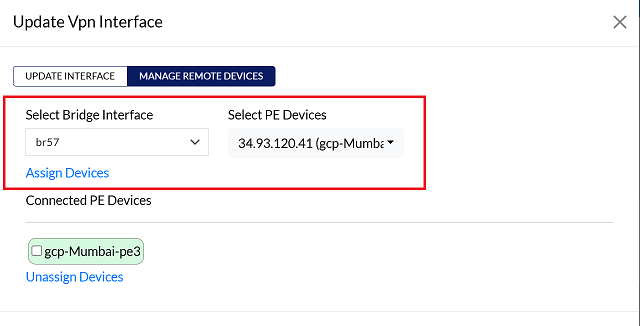
- Select Bridge Interface: Use the dropdown menu to choose the desired Bridge Interface.
- Select PE Devices: Use the dropdown menu to choose the appropriate PE Device.
-
Click on the Assign Device button.
-
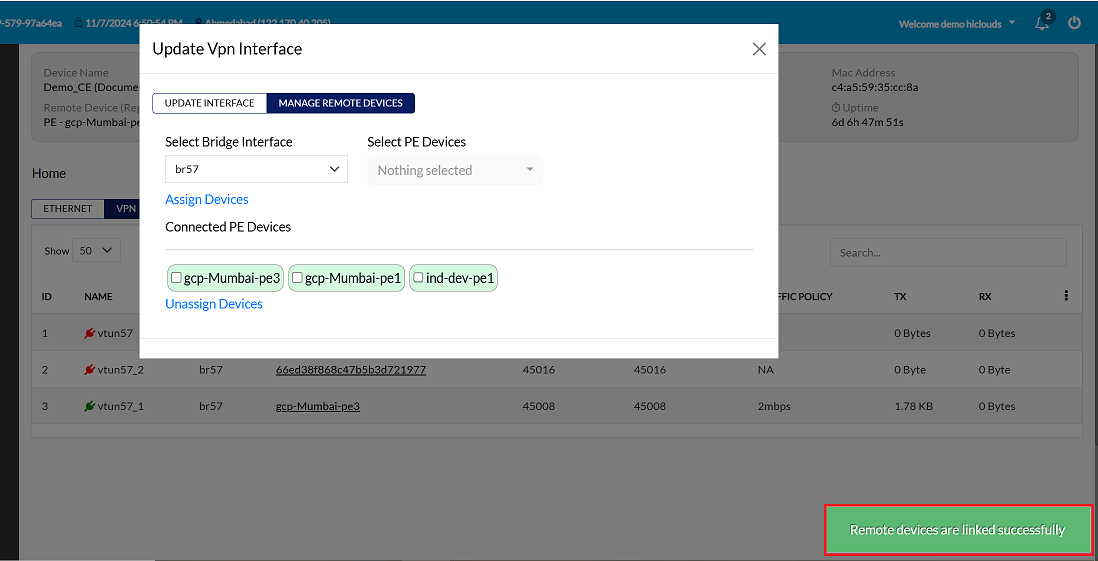
Upon clicking Assign, a confirmation message, Remote devices are linked successfully will appear on the screen.
Unlink Device
-
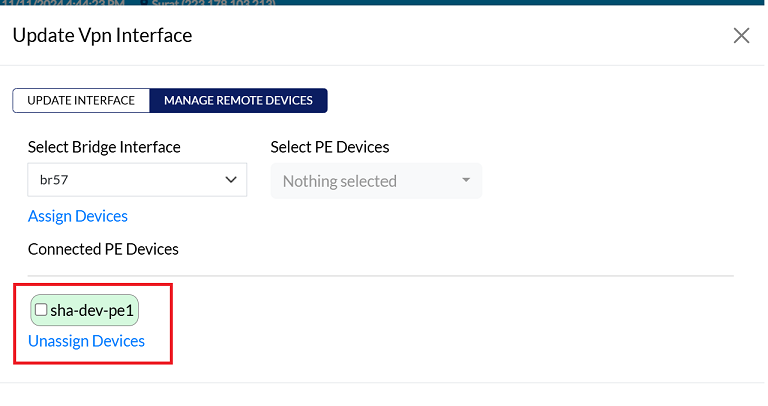
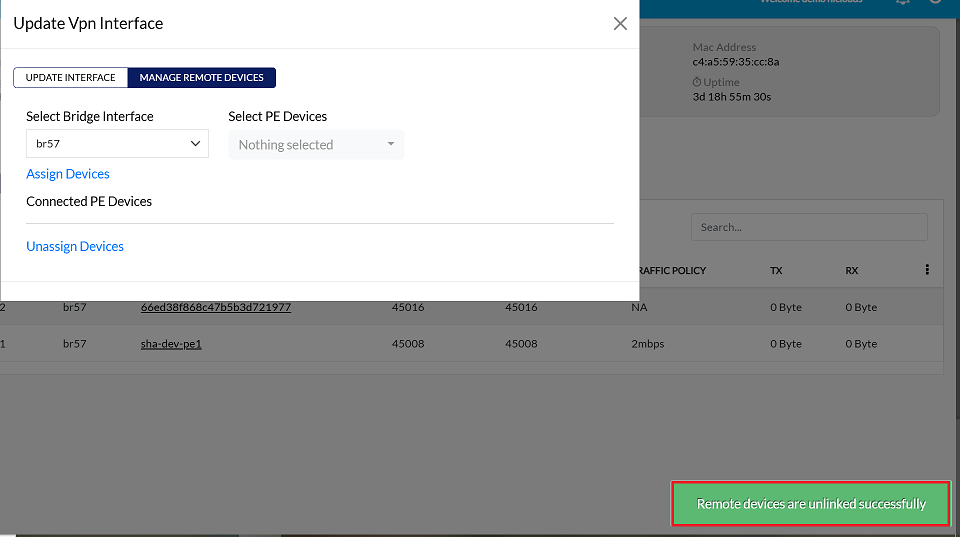
To unassign, select the assigned PE device by clicking the checkbox next to it, then click on Unassign Devices as shown in the image.
-
User will get a message on the screen that Remote devices are unlinked successfully.
Delete Device
-
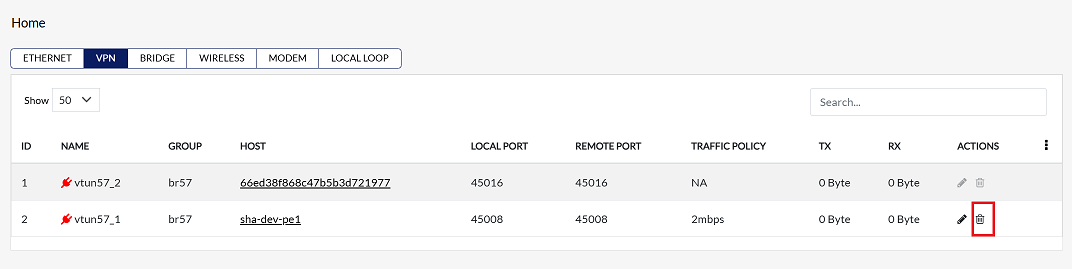
Click on the Delete option in the 'Action' column in the row of the vpn interface to be deleted.
-
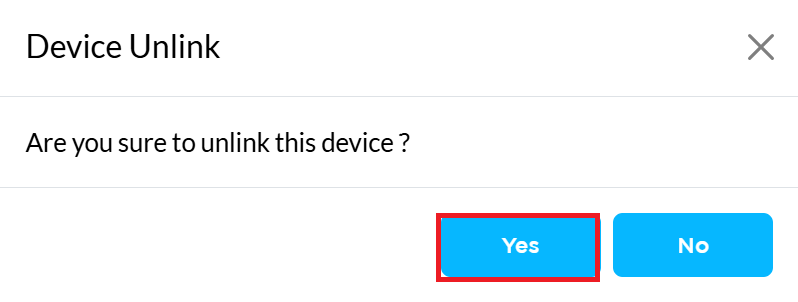
By clicking on the Delete option, a confirmation message popup will open on the screen. This popup asks to confirm the deletion action again, which prevents accidental deletion.
- The vpn interface has two options available:
- Confirm Delete: If the vpn interface really wants to delete the information, click on the Yes button in the popup.
- Cancel Delete: If not intended to delete or clicked by mistake, click on the No button to cancel the action and keep the information safe.
- The vpn interface has two options available:
-
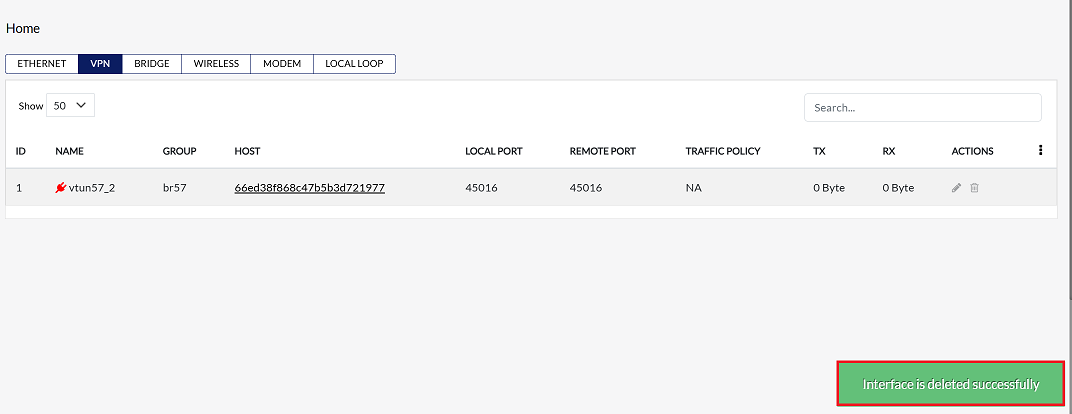
User will get a message on the screen that Interface is deleted successfully.